Check two things first.
Does the game have a Mac version?
Some Windows games already have a Mac release. On Steam, a game’s store page shows an Apple logo when a Mac version exists, and Steam for Mac only installs games that have one. If there’s a native version, use it. It runs without translation and the developer supports it. Age of Empires II: Definitive Edition is one example, and our Age of Empires II guide explains when the Windows version is still useful.
Which Mac do you have?
Open the Apple menu and choose About This Mac. If the chip starts with “Apple M”, your Mac has Apple Silicon and every option on this page is open to you. Intel Macs can still install Windows with Boot Camp, but Apple never brought Boot Camp to Apple Silicon.
Memory matters too when you run Windows games on Mac. Windows and compatibility layers use memory alongside the game, so a Mac with 16 GB or more has more headroom than an 8 GB model.
Six ways to play PC games on Mac.
| Method | How it works | Cost | Best for |
|---|---|---|---|
| Native Mac version | The developer’s own Mac build of the game | The price of the game | Any game that has one |
| GameToMac | Runs the Windows version through a compatibility layer, with fixes and settings tuned for each supported game | 7-day free trial, then a Pro membership | Supported games, with no manual setup |
| CrossOver | Runs Windows programs through Wine, configured per game by you | Paid, with a 14-day free trial | Trying many games and Windows apps |
| Parallels Desktop | Runs a full copy of Windows 11 in a virtual machine | Subscription, plus a Windows license | Windows apps and older or lighter games |
| Cloud gaming | The game runs on a remote PC and streams to your Mac | Free tier or monthly subscription | Games on the service’s list, with fast internet |
| Free Wine tools | Open-source compatibility tools you set up yourself | Free | People happy to troubleshoot |
Prices and trial lengths change. Check each provider’s site before you buy.
What each option is like to use.
GameToMac
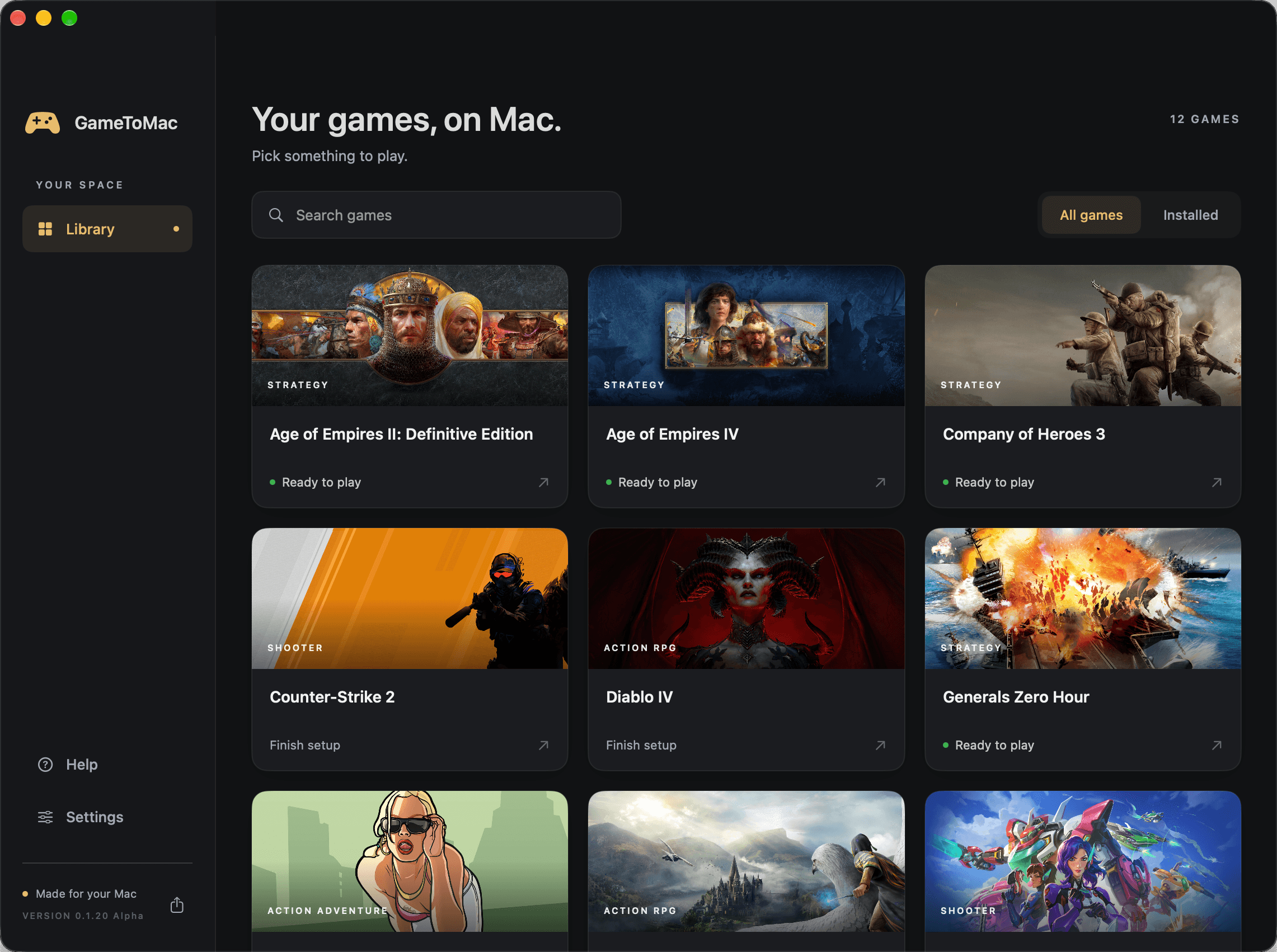
GameToMac is our app, so read this part with that in mind. It supports a fixed list of 24 Windows games, including Red Dead Redemption 2, Elden Ring, The Witcher 3, and Age of Empires IV. For each game it prepares the compatibility setup, opens Steam or Battle.net in its own window, and gives you a Play button once the game is installed. You use your own account and your own copy of the game.
Every game is optimized on its own. Before a game is added, we test it and package fixes and settings made for that game, so it runs as smoothly as it can on your Mac. You don’t have to search forums for the right Wine version or launch options.
The tradeoff is range. If a game isn’t on the supported games list, GameToMac can’t run it yet. It needs an Apple Silicon Mac running macOS 26 or later.
CrossOver
CrossOver, made by CodeWeavers, is the longest-running paid option. It runs Windows programs through Wine, so you don’t need a copy of Windows. It handles everyday Windows apps as well as games. You install each game into a container CrossOver calls a bottle, and results vary a lot from one game to the next. Its online compatibility database shows how well other people got a game running.
Parallels Desktop
Parallels Desktop runs Windows 11 for Arm in a window on your Mac. Windows apps work much as they would on a PC. Games are its weak spot. Parallels lists support for DirectX 11, and many newer games built for DirectX 12 won’t start or run poorly. You also pay for a Parallels subscription and need a Windows license.
Cloud gaming
Services such as GeForce NOW run the game on a gaming PC in a data center and stream the picture to your Mac. Your Mac does very little work, so this also suits Intel Macs and a MacBook Air. You need a fast, steady internet connection, and you can only play games the service supports, using copies you own on stores it connects to. GeForce NOW has a free tier with session limits and paid plans without them.
Free Wine tools
Whisky was the popular free app until its developer stopped working on it in 2025. It no longer gets updates, and our guide to Whisky alternatives for Mac covers what to use instead. Other free routes include Heroic Games Launcher for Epic and GOG games, and Apple’s Game Porting Toolkit, which Apple made for developers testing their own games. Free tools can run games well, but expect to choose Wine versions, change settings by hand, and search forums when something breaks.
How to play Windows Steam games on Mac.
Steam for Mac won’t install a game that only has a Windows version. To play one, you run the Windows version of Steam on your Mac, inside a compatibility layer or a virtual machine. You sign in with the same account, so your purchases come with you. Here’s how it works in GameToMac for a supported game:
Pick your game in GameToMac
Download GameToMac, open it, and choose a supported game in your library. Select Get started and let setup finish.
Sign in to Steam
GameToMac opens the Windows version of Steam in its own window. Sign in with the Steam account you already use.
Install the game
Install the game in that Steam window. Leave Steam open until the download and installation finish.
Choose Play now
Go back to GameToMac and choose Play now. Some games prepare graphics on the first launch, which can take a few minutes.
The Mac version of Steam you may already have stays separate. Games installed there aren’t touched. For getting Steam itself and checking which games have Mac versions, see our guide on how to play Steam games on Mac.
Download for MacCan you play Windows games on Mac for free?
Yes, with limits. These routes cost nothing or let you test before paying:
- Free-to-play games that have a native Mac version.
- The free tier of GeForce NOW, for games the service supports.
- Free Wine tools, if you’re willing to set them up and fix problems yourself.
- Free trials: 14 days for CrossOver and 7 days for GameToMac, so you can check that your game runs before you pay.
Stay away from sites offering free downloads of paid Windows games or modified compatibility apps. They’re a common way to get malware onto a Mac.
What usually won’t work.
- Games with kernel-level anti-cheat, such as Valorant. These anti-cheat systems block compatibility layers and virtual machines, and working around them can get your account banned.
- Some online modes, even when the single-player game runs. GameToMac supports GTA V Enhanced Story Mode, for example, but not GTA Online.
- Compatibility apps on Intel Macs. GameToMac needs Apple Silicon. On an Intel Mac, look at Boot Camp or cloud gaming.
- The newest big games at high settings on entry-level Macs. Expect to lower the resolution and graphics settings.
Which option should you choose?
- The game has a Mac version: play that.
- The game is on GameToMac’s list: GameToMac is the quickest setup.
- You want to try many different games, or you also need Windows apps: try CrossOver.
- You need full Windows for work software and play older games: Parallels.
- You have an Intel Mac or a MacBook Air and fast internet: cloud gaming.
- You enjoy tinkering and don’t want to spend anything: free Wine tools.
Windows games on Mac: FAQ
Can you play Windows games on a Mac?
Yes. An Apple Silicon Mac can run many Windows games through a compatibility app, a Windows virtual machine, or a cloud gaming service. How well a game runs depends on the method, the game, and your Mac.
Can I play PC games on a MacBook Air?
Yes. Every Apple Silicon MacBook Air can use the options on this page. A MacBook Air has no fan, so it may slow down during long sessions in demanding games. Older and lighter games suit it well, and cloud gaming takes the load off entirely.
Does Boot Camp work on M1, M2, M3, or M4 Macs?
No. Boot Camp only works on Intel Macs. On a Mac with Apple Silicon, use a compatibility app, a virtual machine, or cloud gaming instead.
Will my Steam games carry over?
Your purchases will. Sign in to the Windows version of Steam with the same account and your library is there. You’ll download the Windows version of each game you want to play.
Is it allowed to play Windows games on a Mac?
Compatibility apps and virtual machines are ordinary software. You still need your own copy of each game. Some online games limit how they can be played, so check a game’s rules before you play it online.
Can I play online with friends on Windows?
Often, yes. It depends on the game and its online service. With GameToMac, online matches with Windows players have been tested in Age of Empires IV and Company of Heroes 3.
Windows games you can play on Mac with GameToMac.
Each guide covers the supported edition, Mac requirements, setup, and known limits.
- The Last of Us Part I on Mac
- Marvel’s Spider-Man 2 on Mac
- Company of Heroes on Mac
- Grand Theft Auto IV: The Complete Edition on Mac
- Grand Theft Auto V Enhanced on Mac
- Red Dead Redemption 2 on Mac
- The Witcher 3: Wild Hunt — Remastered on Mac
- Diablo II: Resurrected on Mac
- Age of Mythology: Retold on Mac
- Elden Ring on Mac
- Age of Empires III: Definitive Edition on Mac
- Heroes of Might and Magic III Complete Edition on Mac
- GTA: San Andreas – The Definitive Edition on Mac
- Skyrim Special Edition on Mac
- Hogwarts Legacy on Mac
- Path of Exile 2 on Mac
- Diablo IV on Mac
- Overwatch on Mac
- Command & Conquer: Red Alert 2 on Mac
- Command & Conquer: Generals Zero Hour on Mac
- Age of Empires II: Definitive Edition on Mac
- Age of Empires IV on Mac
- Company of Heroes 3 on Mac
- Counter-Strike 2 on Mac