01 / THE RIGHT VERSION
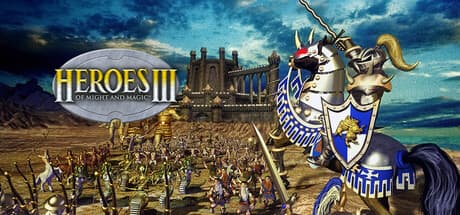
Choose Complete Edition
The supported Steam edition includes Armageddon’s Blade and The Shadow of Death. Check the edition in your library before installing.
Heroes III HD Edition is a separate game and is not supported by this profile.
02 / BEFORE YOU DOWNLOAD
Heroes of Might and Magic III: Mac requirements
- Mac
- Apple Silicon (M1 or later), macOS 26 or later, and Rosetta.
- Game
- Your own Steam copy of Heroes of Might and Magic III Complete Edition.
- Account
- The Steam account that owns the game.
- Storage
- Allow room for Steam, the game, compatibility components, and updates.
GameToMac requirements describe this compatibility setup. Publisher specifications and edition details are linked in the sources below.
03 / INSTALL AND PLAY
How to play Heroes of Might and Magic III on Mac
Choose Heroes III
Open GameToMac and select Heroes of Might and Magic III. Choose Get started and follow the setup prompts.
Sign in to Steam
Use the Steam window opened by GameToMac and sign in to the account that owns Complete Edition.
Install the game
Install Heroes of Might and Magic III through Steam. Let downloading and verification finish.
Take your first turn
Return to GameToMac and choose Play now. The supported setup launches fullscreen with music and sound effects.
Music and sound-effect volume can be adjusted in the game’s settings.
04 / TROUBLESHOOTING
Before you start a campaign
Confirm the edition
If the game is missing from Steam or does not launch, check that you are signed in to the right account and have Complete Edition rather than HD Edition.
Check audio in the game
Adjust music and sound-effect volume in the game’s settings, and check your Mac’s output volume. If a problem persists, use GameToMac’s Help and include the game edition and what happened when you launched.
COMMON QUESTIONS
Heroes of Might and Magic III on Mac: FAQ
Does this include the expansions?
The supported Complete Edition includes Armageddon’s Blade and The Shadow of Death. You supply your own Steam copy; GameToMac does not include paid game licenses.
Is Heroes III HD Edition supported?
No. This profile supports Complete Edition, and HD Edition is a separate game.
Does it run on Intel Macs?
GameToMac requires an Apple Silicon Mac, starting with M1, on macOS 26 or later.
WHAT TO PLAY NEXT
More games for your Mac.
Age of Empires II: Definitive Edition on Mac
Explore another classic strategy game, with real-time battles.
Red Alert 2 on Mac
Build bases and command armies in a different strategy setting.
Compare editions and requirements across the full supported games directory.
READY TO GET STARTED?
Bring Heroes of Might and Magic III to your library.
Apple Silicon · macOS 26+ · Your own Steam account
Download GameToMac